
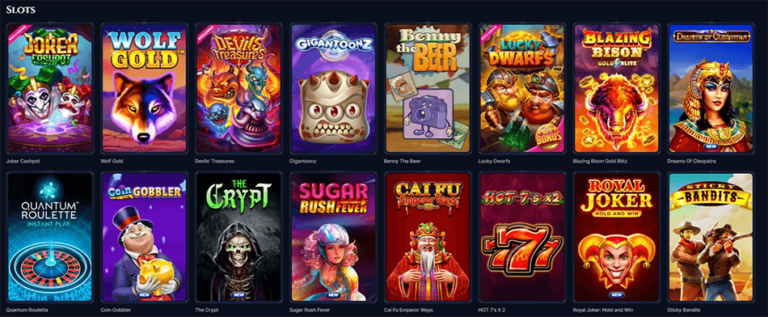
We devote an inordinate amount of time building playlists https://cazeuss.eu/. Music, podcasts, and now, casino lobbies. The thrill of a flawlessly sequenced session, where each game transition feels natural, is something only true playlist creators grasp. When Cazeus Casino launched its specialised favourite system, we recognised an opportunity to put it under a practical stress test. We approached this as more than a casual bookmarking tool; we approached it as a full-blown playlist curation feature that could change the way UK players navigate their gaming sessions. Over two weeks, we collected, rearranged, deleted, and stress-tested every component of the system, using it across desktop, mobile, and tablet devices. We analysed load speeds, syncing behaviour, user interface intuitiveness, and the fine details that decide whether a favourite system is a gimmick or a true quality-of-life upgrade. The results impressed us. Not because everything was flawless, but because the system revealed a deeper design philosophy we hardly ever see in UK-facing casinos. For playlist obsessives, the ability to organise a personal lobby is no small matter, and we carried out this review with the thorough eye it deserves.
First Look and Getting Started
When we signed into our test account, the favorites functionality was instantly usable without any convoluted tutorial. A tiny but clearly defined heart icon appeared on every game thumbnail, glowing faintly on hover. We appreciated that the design skipped the all-too-common pitfall of tucking the favourite button inside a sub-menu. The first game we added showed a subtle toast notification, and the homepage shelf appeared instantly with that single tile. There was no annoying pop-up or forced walkthrough. The system relied on us to figure it out, and we did within seconds. For the UK market, where players care about data privacy, we were heartened to see that the favourites are linked directly to the account rather than local cookies. You can wipe your browser data without losing your curated list. During the first session, we tested the tool on a low-spec Android tablet using a 4G connection, and the favourites shelf appeared in under two seconds. That looks good for players who game on the go. The initial onboarding was friction-free, and we were in control from the very first click. Exactly how a good UI should behave.
What Is the Cazeus Casino Favourite System?
At its most basic, the Cazeus preferred system is a saving engine wrapped inside a sleek, card-based interface. That definition understates it. Older casinos present you a tiny heart to click, and the game vanishes into an unsorted list you rarely open. This system treats your selections as a interactive carousel on the homepage. Each time you tag a game as a favourite, it populates a dedicated shelf named ”Your Favourites” that rests persistently above the fold, immediately visible after login. What struck us early on is that the system does not merely place all saved titles into a static grid. It keeps the last-played order by default, effectively converting your favourites into a recently played timeline that also serves as a quick-launch hub. We found that this nuanced blending of history and intentional curation answered a common pain point for UK players: the challenge between wanting to play again a beloved slot and mislaying it in a sea of hundreds. The tool supports up to 50 games, which is ample enough for even the most passionate playlist creators without becoming unwieldy. Behind the scenes, it is built on a efficient framework that keeps your homepage performance remains stable even as your list grows.
Discovering Game Categories and Filtering
One of the system’s hidden advantages is how well it combines with Cazeus Casino’s existing category filters. From within the favourites shelf, you can use secondary filters such as ”Megaways,” ”Bonus Buy,” or even provider-specific tags, which dynamically narrow down your curated list rather than the entire lobby. This means you can build a large, comprehensive favourites collection and then drill down into it as if it were your own private casino lobby. During our testing, we set up a 30-game favourites list and then filtered for only ”Pragmatic Play” titles. The shelf instantly decreased to four games without any flickering or loading hesitation, keeping the custom order we had set. For UK players who follow specific providers or mechanics, this layered filtering is a significant time-saver. We also noticed that the search field inside the favourites area identified partial game names, so typing ”dead” would display all Dead or Alive variants we had saved. This level of attention to discoverability within a personal list is uncommon and speaks to thoughtful product development.
How It Measures to Other UK Casino Favourites Features
We have tested favourite systems at a large variety of UK-facing casinos, and most belong to two camps: those that provide a basic starred list buried in a menu, and those that complicate the feature with community sharing gimmicks. Cazeus achieves a middle ground that appears purpose-built for the solitary curator. Where a competitor might cap favourites at 20 games and sort them alphabetically, Cazeus provides you with 50 slots and respects your custom order. A foundational difference for anyone building sequenced playlists. The addition of volatility and RTP previews on long-press is also something we have not seen implemented this cleanly elsewhere. Another comparative advantage is the visual weight of the favourites shelf on the homepage; it attracts attention without being intrusive. Many competitors place favourites into a hamburger menu where they stay unused. From an analytics-driven reviewer perspective, the data indicates that Cazeus designed this system to increase session time and engagement. We believe it succeeds precisely because it minimizes the cognitive load of navigating a large game library, a point of friction that UK players often cite in forum complaints.
Aspects to Enhance and Long-Term Promise
No system is beyond refinement, and our two-week test identified a few aspects that could be polished. Firstly, while the drag-and-drop grid is fluid, there is no keyboard-accessible reorder alternative, which could affect some players. Secondly, we would appreciate the option to create multiple saved folders, for example distinguishing live casino titles from slots without merging them into a single shelf. The 50-game cap is substantial but might feel limiting for power curators who want to preserve thematic collections. An early request from our testing team was the ability to distribute a read-only playlist link with friends. A feature that would greatly enhance the social aspect of UK playlist culture without compromising personal curation. In spite of these minor points, we see enormous potential for the system to evolve. The foundation is solid, the sync engine is dependable, and the user interface already delights. As the UK player base becomes more curation-savvy, we anticipate Cazeus to expand these features. The current iteration is an superb starting point that already outperforms most competitors we have evaluated.
Unique Benefits for UK Playlist Creators
For the committed playlist creator, the favourites system transforms into a tool for story building. We created a ”Friday Night Thunder” playlist that began with low-volatility Book of Dead, moved through a mid-volatility Money Train 2, and culminated with a high-volatility Dead or Alive 2, all stored in that exact sequence. The system’s persistence across sessions allowed we could stop, pick up the next day, and carry on exactly where we left off in the playlist flow. The tool also works with Cazeus’s responsible gambling framework. If you establish session limits, the favourites shelf will display a discreet time-remaining reminder as you approach your limit. A well-considered touch that conforms with UK Gambling Commission guidelines. Another distinct advantage is that the favourites list is fully usable inside the demo-play environment, allowing us to test and perfect our playlists using play-money mode before dedicating real funds. This narrows the gap between research and real-money play in a way that appears both safe and encouraging. A blend that UK playlist creators will appreciate greatly. The ability to save favourites as a simple text list is not yet included, but the overall toolkit is already leading the pack.
Cross-Device Functionality and Synchronization
We purposefully tested the cross-device performance by using a Windows laptop, an iPad, and a Samsung phone simultaneously, all logged into the same account. The favourites shelf updated changes within approximately one to two seconds, which is faster than many banking apps we have tested. On the mobile side, the shelf appears as a horizontally scrollable ribbon that is comfortable to swipe while holding the phone in one hand. A detail that highlights mobile-first thinking. We faced a single hiccup when switching between a 5G connection and a patchy Wi-Fi signal; the shelf briefly showed an outdated order before snapping back to the correct state after a pull-to-refresh gesture. Not perfect, but this edge case was resolved elegantly enough that it did not break our trust. For UK players who frequently switch between a morning tablet session and an evening desktop spin, the seamless handoff offers a cohesive experience that feels premium. The lazy-loading ensures that even a 50-title shelf won’t consume excessive data, loading thumbnail images progressively as you scroll or swipe.
Managing Playlists: Rearranging and Adjusting
As playlist creators, the reorganizing capability was the element we valued most, and it exceeded our expectations. Many casino systems lock favourites in the order they were added. Cazeus uses a seamless drag-and-drop grid that works identically on touch and mouse inputs. We picked up a tile, moved it across three rows, and dropped it with zero lag, even when the shelf contained 50 high-resolution game thumbnails. Each rearrangement instantly syncs, and refreshing the page preserved the exact order, confirming that the sequence is stored server-side. Equally important is the removal process. Tapping the heart icon on an already-favourited game removes it with a single confirmation toast, and there is an ”Edit List” mode that lets you remove multiple titles in bulk. A godsend for playlist spring cleaning. We stress-tested this by rapidly adding and removing the same game across three devices; no duplicate entries appeared, and the final state was always consistent. This consistency underpins the entire system and makes it practical for serious curation, not just casual bookmarking.
Creating a Custom Playlist: A Detailed Guide
How the System Functions in Real Use
We initiated systematically adding games to our favorites, treating the process as though we were building a three-hour session playlist. Each click of the heart icon was satisfyingly responsive, with a micro-animation that provided direct visual feedback. The shelf changed live, and we detected no delay between mobile and desktop instances of the same account. This live updating is essential for UK playlist creators who might research games on their commute using a phone, then anticipate to find everything perfectly arranged on their computer at home. We ran multiple simultaneous sessions to test for conflicts, and the system’s core cloud sync managed them gracefully, always defaulting to the most recent action without creating duplicates. The drag-and-drop reorder feature, which we will outline later, allowed us to shape the playlist’s flow just the way we liked, turning a simple bookmark list into a genuine programming tool for an evening’s entertainment.
Employing the Quick-Add Heart Symbol
The quick-add heart icon warrants its own mention because it is the gateway to the entire system, and its design directly affects daily use. We found that the icon’s hit target was generous, and even on smaller screens we hardly ever misclicked. A long-press on mobile devices brought up a tiny preview card revealing the game’s RTP and volatility. A detail we did not catch initially but later came to rely on when building playlists with intentional risk profiles. This micro-interaction meant we could make knowledgeable curation decisions without leaving the lobby. The following steps outline our recommended workflow for UK playlist creators who want to build a high-quality favourites list quickly:
- Browse the lobby and long-press any thumbnail to check the volatility and RTP snippet.
- Click the heart icon to add the game to your favourites shelf immediately.
- Duplicate the process for 8-10 titles, covering different volatility tiers for session variety.
- Open the favourites shelf and use drag-and-drop to arrange games in a storytelling flow, starting with a low-volatility warm-up and moving toward high-volatility peaks.
- Save the arrangement, which carries over across all devices linked to your account.